



























How to Tell When It’s Time to Replace Abrasive Discs

Are you confident that your abrasive discs are in the best condition to deliver optimal performance and safety? The condition of your abrasive discs plays a vital role in ensuring the efficiency, safety, and quality of your work. Worn or damaged discs can reduce performance, create a rough surface, and increase the risk of accidents. Knowing when to replace abrasive discs is important for performance and safety during operation.
Properly maintained sanding discs and grinding wheels help achieve a smoother finish and extend the life of your tools. Neglecting signs of wear can lead to poor-quality results, increased equipment wear, and potential hazards for the operator.
This article explains how their condition affects your work and highlights the need to replace abrasive discs to maintain workpiece quality, increase productivity, and prevent accidents. By following these guidelines, you can guarantee consistently excellent work while maintaining safety every time.
Different Types of Abrasive Discs
There are many types of abrasive discs, each for a specific material and use. The most common include fiber discs, flap discs, grinding discs, sandpaper discs, cut-off wheels, flap wheels, and hook-and-loop pads. Each type has unique characteristics and wear patterns based on its construction and use.
1. Fiber Discs
Fiber discs are versatile and widely utilized for their efficiency in grinding metal surfaces. They typically feature abrasive grains, such as aluminum oxide, which provide a good balance of durability and cutting ability.
As these discs are used, the abrasive grains gradually wear down, losing sharpness over time due to friction, heat, and pressure.
2. Flap Discs and Flap Wheels
Flap discs and flap wheels have overlapping abrasive flaps that continually expose fresh grain as they grind. These are excellent for finishing and blending, with silicon carbide flaps being common for faster cutting on softer materials.
3. Grinding Discs
Grinding discs are primarily designed for material removal, shaping, surface preparation, and the removal of welds, rust, paint, and rough edges. They tend to have coarser abrasive material and wear more quickly when used on hard metals.
4. Sandpaper Discs
Sandpaper discs feature finer abrasive grains and are used for finishing surfaces; they wear more slowly but can clog or become uneven after extended use. These discs are available in multiple sizes, grits, and attachment types, suitable for other jobs.
5. Cut-off Wheels
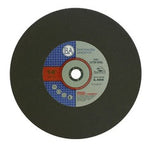
Cut-off wheels are thin and used for precise cuts, but are subject to rapid wear and should be replaced when they lose their sharpness or begin to crack.
How Abrasive Grains Wear
Abrasive grain wear occurs due to friction, heat buildup, and pressure during the grinding or cutting process. Applying too much pressure accelerates wear, dulling the grains more quickly and shortening the lifespan of the abrasive disc.
Regularly inspecting and choosing the appropriate disc for your task helps maintain performance and extend tool life.
Grain Types and Their Characteristics
Aluminum Oxide
The durable and tough grains are suitable for grinding metals like steel, cast iron, and aluminum. Ideal grains with good wear resistance, but wear faster on harder materials.
Silicon Carbide
Sharpened and more durable than aluminum oxide, these materials are ideal for cutting softer substances such as glass, rubber, plastics, and ceramics. They offer better heat resistance and longevity in low-metal applications.
Zirconia Alumina
Very tough, high-performance grain used for heavy-duty grinding on steels and other hard metals. Excellent durability and heat resistance, suitable for aggressive, high-pressure applications.
Ceramic Alumina
Long-lasting and designed for high-speed grinding of tough metals. Delivers consistent performance and maintains sharpness for longer. They are suitable for various industrial applications.
Reasons to Replace Your Abrasive Discs
Abrasive discs, like any tool, have a limited working life that depends on their material and condition. You should understand them to know when to replace your abrasive disc. This is essential for perfection in your job.
Here are the most obvious signs indicating it’s time for a new disc:
Physical Distortion on Surface and Visible Wear
The visible wear on the disc surface is the first indicator. Check for thinning areas, tears, missing grit, or worn-down edges, which can significantly affect the disc’s cutting or grinding efficiency.
Over time, disc wear reduces abrasive grit, reducing effectiveness and risk of surface imperfections or accidents. Regularly inspecting the disc surface helps identify excessive wear early before it leads to failure or unsafe operation.
Burn Marks and Heat Buildup
If you notice burn marks on the workpiece or the disc surface, it’s a clear indication that the disc is worn out. Excessive heat generated during grinding dulls abrasive grains quickly, reducing their effectiveness. Burning also suggests that increasing pressure or using an unsuitable disc could be causing overheating. Changing discs results in cleaner cuts and prevents damage to the workpiece.
Excessive Vibration and Unwanted Noises
Signs of degraded structural integrity include excessive vibration or increased noise during operation. These symptoms often occur when the disc is warped, cracked, or when its bonding has deteriorated. If used continuously under these conditions, it can lead to disc breakage or accidents.
Disc Slippage and Backing Pad Issues
Look for worn holes in the disc or a failed adhesive that causes the disc to slip on the backing pad. This can lead to uneven grinding, kickback, or loss of control.
Additionally, always inspect the backing pad for signs of wear or damage, as a compromised pad can cause the disc to slip or detach. It is necessary to replace worn discs and ensure the backing pad is in good condition for safe and efficient operation.
Now that you understand how different grain types wear, let's explore the performance issues that are clear signs your disc needs replacement.
Related Article: How to Avoid Scratches When Using Coated Abrasives on Soft Metals
Performance Indicators: Signs of Damaged Discs
When using abrasive discs, your work should feel and look consistent with optimal cutting performance. During proper operation, the disc should cut smoothly, with minimal effort, and produce a clean, even finish on the workpiece. The cutting efficiency should be high, allowing you to complete tasks in less time and with less physical strain. The surface should appear uniform, with no deep scratches or uneven patches, indicating that the abrasive material is working as intended.
-
Cutting Efficiency: If you notice a drop in cutting efficiency, apply more pressure than usual, or if the disc feels inactive, it’s a sign of reduced performance. The disc might be worn out, clogged, or damaged, making it less effective.
-
Uneven Removal: Another indicator is uneven removal. When working on uneven surfaces, you might see inconsistent material removal, with some areas more heavily ground than others. This can cause the surface to become rough, and further finishing work may be necessary to achieve a smooth finish.
-
Surface Finish Quality: If you find yourself struggling to achieve a smooth surface after extended use, it may be time to replace the disc. A worn or clogged disc hampers your ability to create the desired results, making the process longer and more frustrating.
- Tasks Taking Longer: If you notice that more time is required to complete your tasks or reach your desired finish, it’s a sign that your disc’s cutting performance has diminished. Replacing the worn-out disc ensures consistent quality, reduces fatigue, and keeps your work efficient.
Impact of Pressure, Speed, and Technique on Disc
Applying too much pressure during grinding or sanding significantly accelerates the wear and tear on your abrasive discs. It reduces their lifespan. When excessive force is used, the abrasive grains become dull quickly, and the bonding material can break down faster. Additionally, incorrect speed settings on your power tools can lead to increased heat buildup and excessive friction. Both of which damage the abrasive surface and hasten disc failure.
High speed of the abrasive wheel generates more heat, which may cause grains to melt or glaze, while too slow a speed causes uneven wear and ineffective material removal. Poor sanding techniques, such as applying excessive pressure, create uneven wear and may cause the workpiece surface to burn or warp.
Regularly cleaning dust from the discs helps maintain cutting efficiency and prevents rapid wear. To extend disc life, always use lighter pressure, maintain consistent speeds, and match grit sizes to the work task. These best practices help improve cutting performance, create a safer workspace, and achieve a quality finish.
Choosing the Right Abrasive Disc to Extend Tool Life
-
Grit Size: Using the appropriate grit is essential for a quality outcome. Coarser grits (around 40-60) are best for heavy material removal and shaping rough surfaces quickly. Finer grits (120 or higher) are ideal for finishing, polishing, and smoothing the workpiece without scratching.
-
Match Disc Type to Material: Different materials require different discs. Softwoods and delicate surfaces benefit from softer sanding discs, while metals like steel or aluminum need specialized metal grinding discs or cut-off wheels. Using the correct disc ensures cutting efficiency and reduces premature wear.
-
Avoid Overloading the Disc: Applying much pressure or operating at incorrect speeds can cause excessive wear and reduce the dimension of the disc, ultimately shortening its lifespan. Always work with gentle, even pressure and appropriate RPM settings.
- Routine Inspection and Proper Storage: Inspect discs for signs of damage or excessive wear regularly. Promptly replace any worn or damaged discs to avoid safety hazards and ensure cutting efficiency. To extend the tool life, always store abrasive discs in a dry, cool place to avoid deterioration.
Avoid Safety Hazards: Risks of Using a Cracked or Damaged Disc
The abrasive applications should be performed with safety in mind. Using a damaged or cracked abrasive disc increases the safety risks. Using a damaged or worn abrasive disc can lead to accidental hazards. Cracks, chips, or excessive wear affect the structure of the disc. Ignoring these warning signs puts both the worker and others at risk. Below are the key points to watch and ensure safety when using abrasive discs:
Discs Breakage
One of the most dangerous issues is edge breakup, where the disc material fractures unexpectedly. This leads to debris flying in the air and causes severe injuries to the operator and nearby personnel. Additionally, a compromised disc increases the chance of tool kickback, which could result in loss of control and accidents.
Workpiece Damage
Workpiece damage is another concern; a cracked or worn disc may gouge the material, leading to defective work and potential safety hazards from uneven surfaces. Continuing to operate a disc with visible damage is a clear indication that the tool’s safety is compromised, and it could fail during operations.
Prioritize Safety
When in doubt, retire the disc. If you're unsure about its integrity, replace it immediately to avoid risks. Ignoring these warning signs questions your safety, along with risking damage to your equipment and workpiece. Always prioritize safety and replace worn or damaged discs to prevent accidents and ensure safe, efficient operation.
Quick Inspection Checklist to Use Before Every Job
- Perform a regular inspection of the abrasive disc before use.
- Inspect to identify signs of damage such as cracks, chips, or broken parts.
- Check the bore alignment, ensure the hole is centered and free from damage to prevent wobbling.
- Confirm the disc is in good condition and mounted securely on the tool.
- Replace the disc immediately if any damage or excessive wear is detected.
Maximize Safety and Performance by Knowing When to Replace Your Discs
Understanding when to replace abrasive discs is key to achieving desired surface finishing results. It improves your tool life and maintains a safe workspace. Regularly swapping out worn or damaged discs helps prevent safety hazards like shattering or kickback, ensuring your cuts are precise and your workpiece looks professional.
Never skip the step of visual inspection before starting each job; this simple habit can save you time, money, and possible injuries. Proper maintenance and timely replacement of abrasive discs not only increases cutting efficiency but also extends the life of your tools. It leads to safer and more cost-effective work.
Browse Benchmark Abrasives’ high-quality abrasives catalog with featured products. For any queries, contact our sales team through the contact form for expert advice.
Join Our Newsletter
Sign up to get the latest on sales, new releases and more …Join Our Newsletter
Sign up to get the latest on sales, new releases and more …Shop Categories
Recent Articles
- How to Choose the Right Diamond Blade for Grinder
- Wire Wheels and Brushes: How to Choose the Right One
- How to Deburr Metal Safely and Efficiently
- How to Reduce Heat Discoloration When Grinding Stainless Steel
- How to Achieve a Mirror Finish on Stainless Steel
- A Fabricator’s Guide to Surface Prep Before Powder Coating
- What Causes Burn Marks During Sanding and Grinding, and How to Prevent Them
- Beginner’s Guide to Metal Surface Prep Before Welding
- How to Choose the Right Abrasive Wheel for Your Grinder
- How to Use a Drum Sander: Step-by-Step Guide for Woodworking
Featured Products
-
 746 Reviews
4-1/2" x 7/8" T29 Zirconia High Density Flap Disc - 10 pack
$25.19
-
 738 Reviews
4-1/2" x .040" x 7/8" t1 premium thin cut-off wheel - 25 pack
$20.88
-
 220 Reviews
4-1/2" x 7/8" T27 Zirconia High Density Flap Disc - 10 pack
$25.19
-
 380 Reviews
6" x .045 x 7/8" T1 Premium Thin Cut-Off Wheel - 25 pack
$27.29
-
 55 Reviews
Nonwoven 6" X 9" Scuff, Clean & Finish Hand Pads
$0.83
-
 123 Reviews
4-1/2" x 1/4" x 7/8" T27 Depressed Center Grinding Wheel - 25 pack
$28.34


Blog Categories
- Abrasives
- Sanding
- Grinding Deburring Finishing
- Safety and Cleanliness
- Metal Working
- Selecting Tools And Equipment
- Wood Working
- Art And Design
- Diy Projects
- Industry 4.0
- Buffing
- Cutting Tools
- Carbide Burrs
- PPE
- Wire Brushes
- Bonded Abrasives
- TIG Electrodes
- Wire Wheels
- Bits
- Diamond Blades
- Power Brushes
- Product Reviews
- Grinding
- Finishing
- Industrial Cleaners