





























What Causes Burn Marks During Sanding and Grinding, and How to Prevent Them

There is nothing more frustrating than reaching the final stages of a woodworking project only to find dark, charred streaks marring your carefully prepared surface. These burn marks are a common sanding issue that can ruin the look of a piece of wood, but understanding the physics of friction and heat will help you eliminate them for good.
Why Do Burn Marks Occur When Sanding?
At its core, what causes burn marks when sanding is a buildup of extreme heat between the abrasive and the workpiece. This heat is a direct byproduct of friction; as the sandpaper moves across the wood surface, it generates thermal energy. If this energy is not dissipated quickly enough, it begins to cook the lignins and resins within the wood, leading to visible discoloration.
This sanding process is meant to remove material, but when the abrasive can no longer cut efficiently, it starts to rub instead. This rubbing action is a common sanding mistake that quickly leads to a scorched look.
In some cases, the heat becomes so intense that it can even damage the adhesive bond of your sanding discs or belts, further complicating the sanding issue.
Why Burn Marks Happen in Woodworking Projects
In woodworking, the reaction to heat varies significantly depending on the species of wood you are using. Hardwood varieties, such as white oak, maple, or cherry, are much more prone to burning because their high density resists the abrasive grain. The friction on a dense tabletop or a section of hardwood floors builds up rapidly because the wood does not allow the heat to escape into the surrounding fibers.
Softwoods can also burn, particularly those with high resin or sap content like pine. When the heat rises, the resin melts and clogs the sandpaper, which then creates even more friction.
Whether you are working on a small dining room chair or a large piece of wood for a custom build, the wood grain and density will dictate how carefully you must manage your thermal output.
The Role of Heat, Pressure, and Friction
The relationship between heat, pressure, and friction is a mechanical balance that every fabricator must master. Applying too much pressure is the most frequent culprit behind burn marks. When you push down too hard, you force the abrasive grains deeper into the material than they are designed to go, which generates a spike in temperature. Instead of cutting, the grains begin to plow through the wood, creating a massive amount of friction. To prevent this, you should focus on light passes and consistent movement.
Your feed rate—the speed at which you move the tool across the sanding surface—must be steady. If your feed speed is too slow, the tool stays in contact with one area for too long, concentrating the heat. Moving at slower speeds can be helpful for control, but you must ensure the tool is never stationary while it is running.
Common Sanding Mistakes That Cause Burn Marks
Here are some common sanding mistakes that cause burn marks:
Using the Wrong Grit or Skipping Grit Progression
One of the most essential parts of the sanding process is the grit progression. If you start with a grit that is too fine for the task, you will spend too much time rubbing the surface to remove material, which creates heat. Conversely, if you jump from a lower grit to a much higher grit too quickly, the finer grits will struggle to remove the deep scratches left by the coarser grit.
This struggle leads to friction as you try to force the next grit to do more work than it is capable of. Always follow a logical sandpaper grit sequence, moving from a coarser grit to the next logical step to ensure each higher grit can efficiently clean up the surface.
Applying Too Much Pressure
Many people assume that much pressure will get the sanding job done faster, but it actually has the opposite effect. Forcing the tool increases heat buildup and can actually cause the abrasive to dull prematurely. The best way to achieve a smooth finish is to let the weight of the power tools do the work. By using light passes, you allow the abrasive to cut through the wood grain without generating the excessive thermal energy that causes wood burning.
Staying in One Spot Too Long
Even with the correct pressure, staying in one spot for a long time will inevitably lead to burn marks. This often happens when a woodworker tries to sand out a specific defect or deep scratch marks. Instead of focusing on one area, you should sand the entire surface evenly. Continuous movement prevents heat concentration and ensures that the sanding process remains uniform across the entire workpiece.
Dirty or Worn Sandpaper
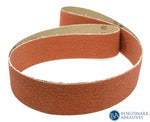
Worn-out sanding discs or sanding belts are essentially just smooth paper rubbing against wood. When the abrasive grain is gone or the paper is clogged with dust, it can no longer cut, leaving friction as the only remaining force. Using a dirty belt or disc with built-in residue increases the chance of burn marks and leaves unsightly sanding scratches. If you see your aluminum oxide paper starting to look grey or loaded with wood fibers, it is time for a change.
Selecting the Right Power Tools
The type of tool you choose has a massive impact on heat generation. A random orbit sander (or random orbital sander) is designed with a dual-motion path that prevents the tool from following the same track twice. This makes it much less likely to leave circular sanding marks or create concentrated heat.
A belt sander, however, is a much more aggressive tool. It moves the abrasive in a continuous loop at high speeds, which can strip material quickly but also generates heat very fast. A belt sander is great for heavy material removal on flat surfaces, but it requires a very steady feed rate to avoid burning.
Palm Sanders, Spindle Sanders, and Finish Sanders
For detailed work, a palm sander or finish sander is often the preferred choice. These tools are less aggressive and are designed for the final stages of a project. A spindle sander is excellent for curved edges, but because the abrasive is small and the contact area is concentrated, it is very prone to wood burning if you don't keep the workpiece moving. For the most delicate tasks, hand sanding with a sanding block provides the most control over friction.
Drum Sanders and Conveyor Systems
In professional shops, a drum sander with a conveyor belt system is used for dimensioning. These machines, like the Performax 16 or Performax 16-32, allow for incredible consistency. However, they are highly dependent on the correct feed rate and feed speed. If the conveyor is set too slow or the drum height is set for too deep a cut, you will end up with burn marks across the entire width of your board.
Safety warning: Always wear a high-quality dust mask or respirator when sanding. Fine wood dust is a respiratory irritant and, in the presence of the high heat that causes burn marks, can pose a localized fire risk if allowed to accumulate in a dust collector.
How to Prevent Burn Marks When Sanding
Here are some considerations that can help you prevent burn marks when sanding.
1. Use Proper Grit Progression
The most effective way to avoid burning is to stick to a strict grit progression. Start with a lower grit to remove the bulk of the material and then move to the next grit to finish the surface. By the time you reach the final sanding and finish sanding stages, the tool should only be removing the microscopic scratches from the previous step. This minimizes the amount of work each disc has to do and keeps the temperature low.
2. Keep Sandpaper Clean and Sharp
Clean abrasives cut cooler. Use a rubber eraser stick to remove loaded-up dust and resin from your sanding belts and sanding discs. This simple tool can double the life of your abrasives and significantly reduce friction. For heavy resin buildup, some professionals use mild solvents like Simple Green or mineral spirits to clean the surface, though you must ensure the abrasive is completely dry before reuse.
3. Maintain Proper Technique
Always sand in the direction of the wood grain. Sanding across the wood grain creates more resistance and deeper scratches, which leads to more friction. Keep your tool at a low angle and maintain a flat surface contact. Whether you choose to hand sand or use power tools, a consistent, rhythmic motion is the secret to a burn-free surface.
4. Control Speed and Pressure
If your power tool has a variable speed, use slower speeds for heat-sensitive woods or when using finer grits. Combine this with light passes to ensure the sanding surface stays cool to the touch. This control is vital when you are working on a high-value workpiece where a single burn could mean hours of extra work.
Fixing Burn Marks After They Happen
If you do find burn marks, don't try to sand them out with the same grit you were using when they occurred. The best results come from stepping back to a lower grit. You need to physically remove the charred wood fibers to get back to clean material. Once the burn is gone, re-sand the area following your full grit progression to ensure a smooth finish without leaving deep sanding scratches or sanding marks in that specific spot.
Advanced Tips for a Smooth, Professional Finish
Before your final sanding, some experts recommend a "water pop"—lightly misting the wood with water to raise the grain. Once dry, perform your final sanding to knock down those raised fibers for an ultra-smooth finish. For the very last touch before the first coat of stain, using a high-grade steel wool or a very fine abrasive pad can help remove any remaining microscopic imperfections. This level of detail ensures the best results when the finish is applied.
Shop Setup and Safety Considerations
A clean shop is a safe shop. Efficient dust extraction is not just about health; it actually helps prevent burn marks. A dust collector pulls the waste material away from the sanding surface, preventing it from getting trapped between the abrasive and the wood, where it would cause friction. Integrating high-quality dust extraction into your home improvement workspace will lead to cooler sanding and a much longer life for your tools.
Say Goodbye to Burn Marks for Good
Burn marks are a sign that something in your sanding process has gone wrong, usually related to heat buildup from friction, pressure, or a clogged abrasive. By mastering proper grit progression, keeping your tools clean, and letting the machine do the work with light passes, you can achieve a professional, smooth finish every time.
Sanding with the grain and choosing the right tool for the job are the hallmarks of a craftsman who values both efficiency and quality. Fix any mistakes early, and your final results will speak for themselves.
Upgrade your sanding setup for great results with high-quality abrasives and tools from Benchmark Abrasives. Check out our professional-grade sanding discs, belts, and accessories you need for every project.
Join Our Newsletter
Sign up to get the latest on sales, new releases and more …Join Our Newsletter
Sign up to get the latest on sales, new releases and more …Shop Categories
Recent Articles
- How to Choose the Right Diamond Blade for Grinder
- Wire Wheels and Brushes: How to Choose the Right One
- How to Deburr Metal Safely and Efficiently
- How to Reduce Heat Discoloration When Grinding Stainless Steel
- How to Achieve a Mirror Finish on Stainless Steel
- A Fabricator’s Guide to Surface Prep Before Powder Coating
- What Causes Burn Marks During Sanding and Grinding, and How to Prevent Them
- Beginner’s Guide to Metal Surface Prep Before Welding
- How to Choose the Right Abrasive Wheel for Your Grinder
- How to Use a Drum Sander: Step-by-Step Guide for Woodworking
Featured Products
-
 746 Reviews
4-1/2" x 7/8" T29 Zirconia High Density Flap Disc - 10 pack
$25.19
-
 738 Reviews
4-1/2" x .040" x 7/8" t1 premium thin cut-off wheel - 25 pack
$20.88
-
 220 Reviews
4-1/2" x 7/8" T27 Zirconia High Density Flap Disc - 10 pack
$25.19
-
 380 Reviews
6" x .045 x 7/8" T1 Premium Thin Cut-Off Wheel - 25 pack
$27.29
-
 55 Reviews
Nonwoven 6" X 9" Scuff, Clean & Finish Hand Pads
$0.83
-
 123 Reviews
4-1/2" x 1/4" x 7/8" T27 Depressed Center Grinding Wheel - 25 pack
$28.34


Blog Categories
- Abrasives
- Sanding
- Grinding Deburring Finishing
- Safety and Cleanliness
- Metal Working
- Selecting Tools And Equipment
- Wood Working
- Art And Design
- Diy Projects
- Industry 4.0
- Buffing
- Cutting Tools
- Carbide Burrs
- PPE
- Wire Brushes
- Bonded Abrasives
- TIG Electrodes
- Wire Wheels
- Bits
- Diamond Blades
- Power Brushes
- Product Reviews
- Grinding
- Finishing
- Industrial Cleaners